36 KiB
12-bit raw capture pipeline — final report
Question: should the towers stop asking the camera for 8-bit colour (RGB8) and take raw
12-bit Bayer (BayerRG12p) instead, with the LattePanda converting it to colour and saving 12-bit
JPEG XL? The aim is a higher frame rate, so auto-exposure and auto white balance settle faster,
and more tonal detail for the smoke-detection algorithms. Can the IOTA (tower 121) and the
3 Delta (tower 111) carry the work, how long does each step take, and how much space do the
images need?
Campaign: 2–5 October 2026. Camera tests on tower 121 (2 Oct) and tower 111 (4 Oct) with the same camera (Alvium 1800 U-1620c, 5328×3040), moved from 121 to 111 and looking at the same scene, so the two towers differ only in their computer. Processing tests repeated on one identical frame on both towers (4 Oct). Earlier blurred-scene measurements: camera-capture-measurements.md. What to build from this: raw12-pipeline-implementation-plan.md.
Conclusions
| Topic | Finding | Evidence |
|---|---|---|
| Frame rate | BayerRG12p runs at 9.86 fps, 2× RGB8's 4.95 fps, at the 250 MB/s cap; BayerRG8 14.75 fps. Unpacked BayerRG12 only 7.4 fps: use the packed format. |
streaming |
| Link | No lost or incomplete frames in any format on either tower, also while saving 12-bit flat out. | streaming |
| Auto-exposure | From under-exposure (1/16, brightness ~11 of 255) or over-exposure (×16, 97–100% blown out), settling takes ~25–35 frames, so time scales with 1/fps: raw 8-bit 1.8–2.7 s, 12-bit 2.2–6.6 s (typically ~3 s), RGB8 4.6–6.6 s. | method, auto-exposure |
| Which frame to keep | "Brightness in the camera's target band and steady for 3 frames": right in 21 of 24 steps. "Exposure and gain unchanged" was never right. | settle rules |
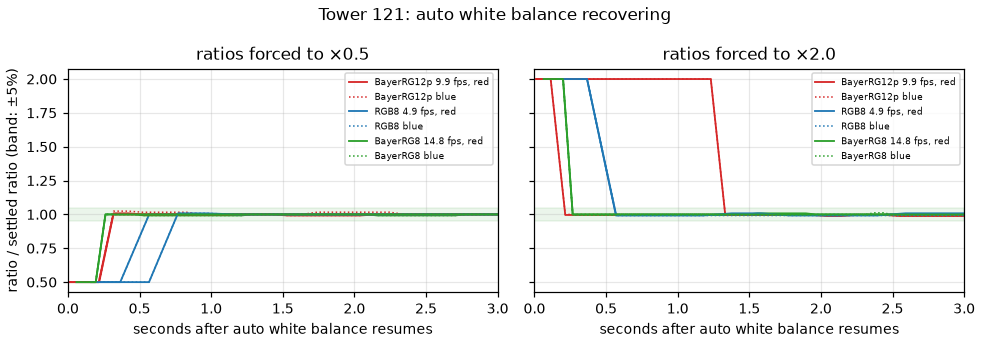
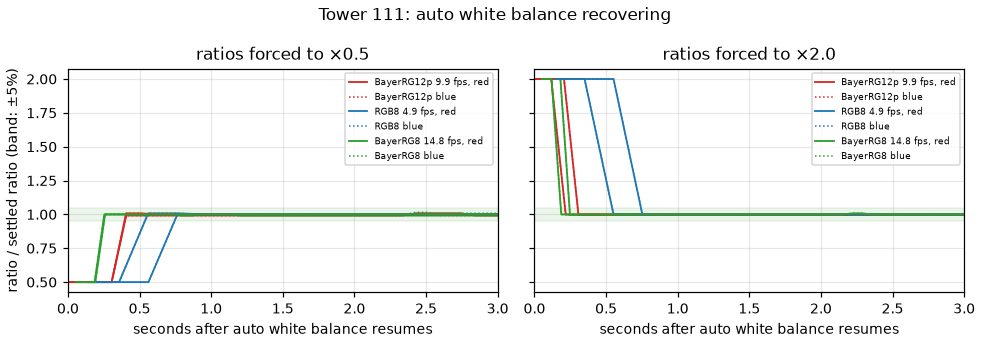
| Auto white balance | Recovers in 2–4 frames (0.2–0.8 s) at every rate; stable within ±1–3% on a still scene. Exposure, not white balance, sets the wait. | white balance |
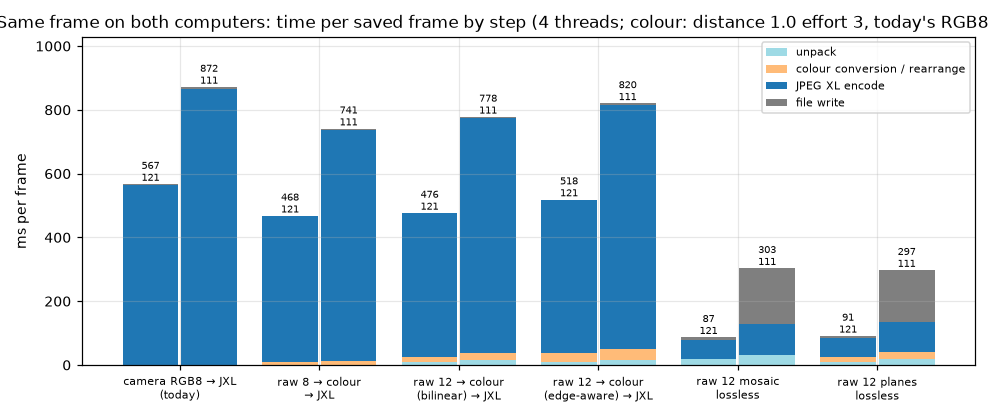
| Processing cost | Same frame on both computers: unpack + colour conversion 38 ms (IOTA) / 50 ms (Delta); JPEG XL encode 480 / 765 ms. A 12-bit save (518 / 820 ms) costs a little less than today's RGB8 save (567 / 872 ms). | stages |
| IOTA vs 3 Delta | The Delta takes 1.6× as long on the identical frame (820 vs 518 ms for a 12-bit save); it saves 1.19 frames/s with one worker, 1.53 with two (IOTA 1.79 / 2.15). | stages |
| Pace | The camera side sets the pace: a waypoint needs ~1.5–5 s (move + exposure), a 12-bit save 0.56 s (IOTA) or 0.65 s (Delta, two workers). On the shared frame the IOTA keeps up with one frame every 0.7 s with one worker; the Delta needs two workers for that. | pace, pile-up |
| Heat | One frame every 2 s: IOTA 53 °C / 5.1 W, Delta 66 °C / 5.7 W. Flat out: ~80 °C on both; the IOTA slowed 16% over 10 min, the Delta held steady at its 8 W power limit. | heat |
| Storage | 12-bit colour at distance 1.0: 2.7 MB/frame, less than today's 3.7–4.0 MB. Lossless 12-bit: 44–47 MB as colour, 17–18 MB as raw planes. | quality |
| Value of 12 bits | Sensor noise in this sunlit scene is 2–6 steps of 8-bit even at 0 dB gain, so 8-bit already holds what the sensor delivers in mid and bright tones. 12-bit adds information only below about 300 of 4095 (deep shadow), which daylight scenes barely have and dusk or night scenes do. | bit depth |
Recommendation
- Take raw from the camera (
BayerRG12p, 250 MB/s) and convert to colour on the tower, edge-aware. It doubles the frame rate and roughly halves the settle time, at no extra CPU, heat or storage cost compared with today, on either computer. - Save 12-bit colour JPEG XL at distance 1.0, effort 3, 4 threads. 2.7 MB per frame.
- Workers per computer: one worker on the IOTA; two workers × 2 threads on the Delta, which then keeps up with a frame every 1.0 s. With the measured settle times (~2–3 s per waypoint), the scan pace stays below either limit. The save queue still needs a bound.
- Keep the frame by "target band and steady for 3 frames", with a time limit.
- 12-bit vs raw 8-bit is a choice, not a cost.
BayerRG8(14.75 fps) settles about 1 s faster in daylight and loses nothing measurable there;BayerRG12pkeeps the deep shadows at dusk and night. The pixel format lives in the camera profile, so the code should accept both, andstandardandnightcan each use the right one. - Store raw 12-bit planes losslessly (17–18 MB) only if the detection pipeline wants exact sensor values; it is 6× the storage.
Setup
| Tower 121 | Tower 111 | |
|---|---|---|
| Computer | LattePanda IOTA, Intel N150, 4 cores, up to 3.6 GHz, 7 GB | LattePanda 3 Delta, Celeron N5105, 4 cores, up to 2.9 GHz, 7.6 GB |
| Storage write | eMMC, 218 MB/s | eMMC, 76 MB/s |
| Libraries | libjxl 0.11.1, OpenCV 4.10 | libjxl 0.11.0, OpenCV 4.5.4 |
| Date, light | 2 Oct, 15:01–16:50, sun | 4 Oct, 16:19–18:19, sun then evening |
| Camera | Alvium 1800 U-1620c DEV_1AB22C0B7D4E, 5328×3040, link cap 250 MB/s |
same camera |
| Exposure | capped at 20 ms (the standard profile), so ~15 dB gain in this scene |
same |
The scene, through the camera: spruce, birch trunks, leaves, a building, ~13% blown-out sky.
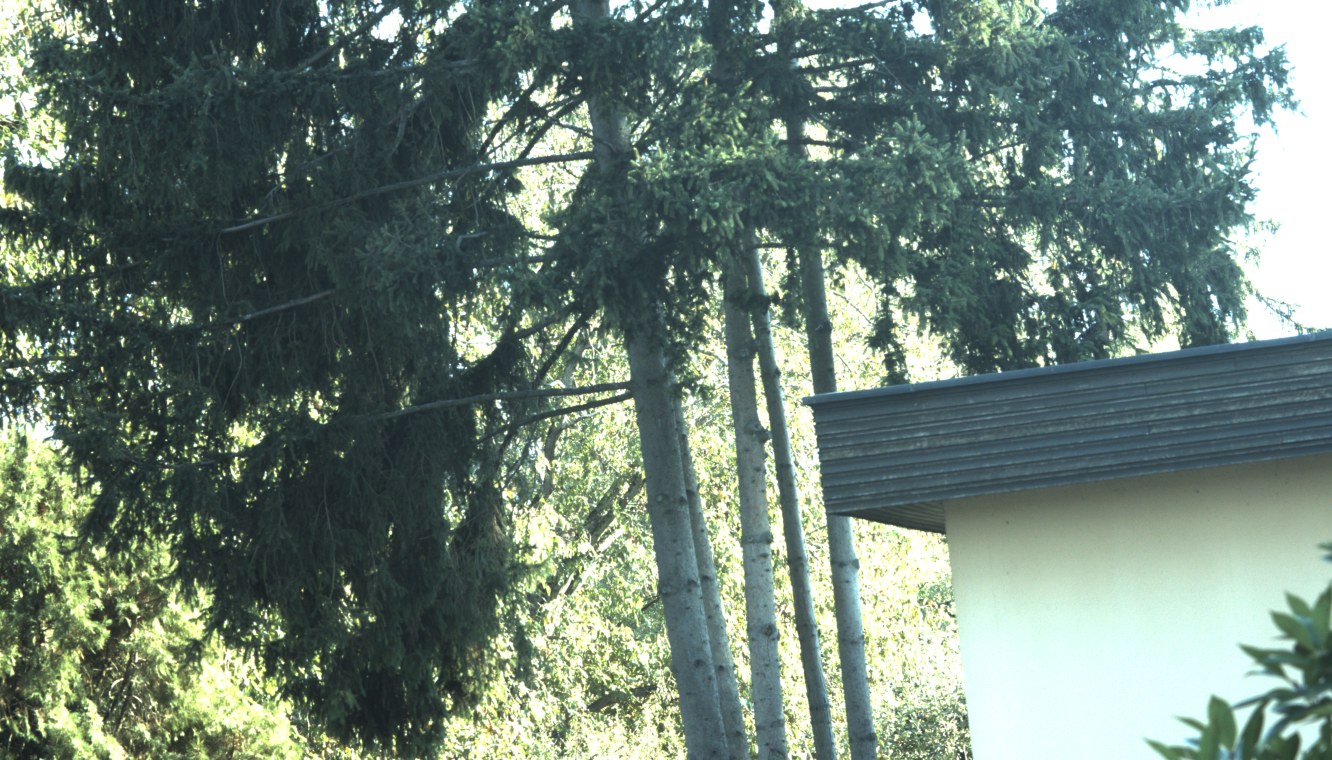
The tower program was stopped during every test, and both cameras went back to their standard
profiles afterwards.
Method
Everything ran on the towers themselves, with the tower program stopped (the camera accepts one program at a time, and the CPU figures should have a single cause). The test programs are in tools/camera-bench; the raw results, one JSON line per measurement, are linked at the end.
How the camera is driven
camera_bench.py talks to the camera through Allied Vision's Python SDK (vmbpy), the same
GenICam interface the tower program uses through C++. Every setting change is a GenICam feature
write (feature.set(value)), sent over the USB control channel while the camera keeps
streaming. ExposureAuto, GainAuto and BalanceWhiteAuto are switches with the values Off,
Once and Continuous. Setting one to Off freezes the value the automatic control had reached;
ExposureTime, Gain and BalanceRatio can then be written directly and take effect from the next
frame the camera exposes. No profile, user set or file on the camera is changed; afterwards the
camera is put back by reloading its standard.xml profile, exactly as the tower program does.
Common settings for every camera test:
| Setting | Value | Why |
|---|---|---|
| Resolution | 5328×3040, binning 1 | full resolution, as decided |
DeviceLinkThroughputLimit |
250 MB/s | the agreed conservative link cap |
AcquisitionFrameRate |
the camera's maximum for the format | 9.86 fps 12-bit, 14.75 fps 8-bit raw, 4.95 fps RGB8 |
ExposureAutoMax |
20 ms | as in the standard profile; keeps long exposures from limiting the frame rate |
IntensityAutoPrecedence |
MinimizeNoise |
as the camera was left (favours exposure over gain; with exposure capped at 20 ms, the camera then uses gain) |
IntensityControllerTarget / Tolerance / Rate |
50% / 5% / 100 | camera defaults; rate 100 is the fastest |
GainAutoMax |
as left in the camera (≥ 43.5 dB) | the bright steps reached 43.5 dB |
| Chunk data | on: ExposureTime, Gain, BalanceRatioRed, BalanceRatioBlue, Timestamp |
each frame carries the exact settings it was exposed with |
| Buffers | 5 | as production |
Per-frame record. For every frame the script keeps the host arrival time, the camera's frame
number, complete or not, the chunk data above, and the frame's brightness and blown-out share,
sampled from the image buffer itself: every 997th byte for RGB8 and 8-bit raw (mixed colours), the
high byte of every 331st pixel pair for BayerRG12p (green and blue sites), each scaled to 0–255.
"Blown out" means a sample ≥ 250 of 255.
Frame rate and streaming
For each format: set it, read the camera's maximum frame rate (the camera computes it from the
link cap and frame size), stream 60 s at that rate, and count frames received, incomplete frames
(the SDK's frame status) and lost frames (gaps in the camera's frame counter). Once more for
BayerRG12p while the tower saved 12-bit images flat out in parallel.
Auto-exposure step test
One run, per format and direction (camera_bench.py ae):
| Phase | Duration | Exactly what is done |
|---|---|---|
| 1. Settle | 8 s | Stream with ExposureAuto = Continuous, GainAuto = Continuous. "Before" = median exposure and gain of the last 5 frames (chunk data). The brightness the camera steers is exposure × linear gain: E₀ = exposure × 10^(gain/20). |
| 2. Force | 2 s | ExposureAuto = Off, GainAuto = Off (freezes them). Then write a new exposure and gain. Dark: ExposureTime = max(ExposureAutoMin, E₀/16), Gain = 0 dB. Bright: ExposureTime = min(20 ms, 16·E₀), and the rest as gain: Gain = 20·log10(16·E₀ / exposure), up to GainAutoMax. Streaming continues; the camera delivers 10–30 frames at the forced settings. |
| 3. Release | 15 s | Time zero is taken, then ExposureAuto = Continuous and GainAuto = Continuous are written. Every frame for 15 s is recorded. |
With exposure at its 20 ms cap before the step, the forced values came out as:
| Before (settled) | Forced "dark" (start) | Forced "bright" (start) | |
|---|---|---|---|
| Exposure | 20 ms (at its cap) | 7.4–11.5 ms | 20 ms |
| Gain | 15.4–19.5 dB | 0 dB | 39.6–43.5 dB (before + 24.1 dB) |
| Brightness (0–255), first frame after release | 117–122 | 9–13: under-exposed | 254–255: over-exposed |
| Blown-out share | 10–15% (sky) | 0% | 97–100% |
So settling was measured from both sides, under-exposure and over-exposure. The bright start is fully saturated: the camera cannot see how far over it is and can only step down until detail reappears.
Each format × direction was run twice: 12 runs per tower, 24 in all. "Settled" is judged on the image: the time from release after which the frame's brightness stays within ±10% of where it finally settles (median brightness of the run's last 2 s), with the number of frames that took. The first 1–5 frames after release still carry the forced values (frames already in the camera-to-host pipeline); they count towards the settle time.
Keep rules were then scored offline on the same 24 per-frame logs: for each rule, the first frame at which it would have kept a picture, and whether that frame's brightness was within 10% of the final level ("correct") or not ("early"). The camera's target band is 50% ± 5% of full scale, i.e. 114.8–140.3 on the 0–255 scale used here.
Auto white balance step test
One run (camera_bench.py awb), per format and direction:
| Phase | Duration | Exactly what is done |
|---|---|---|
| 1. Exposure | 6 s | Auto-exposure on, settle; then ExposureAuto = Off, GainAuto = Off, and ExposureTime/Gain written to the median of the last 5 frames, so only white balance moves from here on. BalanceWhiteAutoRate = 100 (fastest). |
| 2. Reference | 8 s | BalanceWhiteAuto = Continuous. The reference = median red and blue ratios of the frames in the last 3 s (the camera's own answer for this scene: red 2.34–2.46, blue 1.86–1.97). |
| 3. Force | 2 s | BalanceWhiteAuto = Off; BalanceRatioSelector = Red, BalanceRatio = reference × factor; the same for Blue (green is the camera's fixed reference). ×0.5: red ≈ 1.2, blue ≈ 0.95 (image too green); ×2: red ≈ 4.8, blue ≈ 3.8 (too magenta). |
| 4. Release | 15 s | Time zero, then BalanceWhiteAuto = Continuous; every frame's ratios recorded (chunk data). |
"Settled" = both ratios within ±5% of the reference and staying there. Each case twice; also the spread of the reference over phase 2 on the still scene.
Processing tests
raw12_bench.cpp, built on each tower against its own libjxl and OpenCV, runs the steps the tower
program would run for one saved frame and times each with a monotonic clock:
| Step | What it does |
|---|---|
| Unpack | BayerRG12p (two 12-bit pixels in three bytes) → one 16-bit word per pixel |
| Colour conversion | OpenCV cvtColor, COLOR_BayerBG2RGB (bilinear) or …_EA (edge-aware), 8- or 16-bit; the camera's BayerRG is OpenCV's BayerBG (checked against the camera's own RGB8) |
| JPEG XL encode | libjxl into memory; threads via libjxl's thread pool; effort and distance as stated; 12-bit input as 16-bit words with the bit depth taken from the file header; lossless with uses_original_profile set |
| File write | fopen/fwrite/fflush/fclose to the tower's eMMC |
Each figure is the median of 3 runs (2 in the quality sweep). Before every run on every tower the program checks that its 8-bit encoder produces byte for byte the file production's encoder produces, that 12-bit lossless decodes to exactly the input, and that its colour order matches the camera's.
Input frames.
- Shared frame, identical on both towers (the tower comparison uses this): tower 121's frame of
2 Oct (15:07, 20 ms, ~15 dB), rebuilt bit-exactly from its lossless 12-bit file and repacked to
BayerRG12p; its 8-bit raw is the 12-bit value shifted down 4 bits; its "RGB8" is the edge-aware colour conversion of the 12-bit frame shifted to 8 bits (the camera's own RGB8 of that instant does not exist). Copied to both towers; MD5 checksums identical. - Synthetic frame, identical on both towers: a "dead leaves" texture (the camera texture chart of ISO 19567-2) with sensor noise, same generator and seed: sharper than any real scene, the worst case for the encoder.
- Each tower's own camera capture from its test day.
Quality. Every 12-bit result is decoded and compared with the exact lossless 12-bit colour image of the same frame (mosaic results are converted to colour the same way first): PSNR on the 12-bit scale, and SSIM on luma, which follows structure and is less fooled by noise.
Load. Back to back: workers save the same frame from memory continuously for 60 s.
Paced: a producer queues one frame every 2.0, 1.5, 1.0, 0.7 or 0.5 s for 2 minutes, like a scan
keeping one frame per waypoint; each job runs every step above; recorded: time from queueing to file
written, frames still queued at the end, peak memory. Heat: 10 minutes flat out and 10 minutes at
one frame every 2 s, each after a 5-minute cool-down, with once a second: CPU package temperature
(x86_pkg_temp), average core clock, CPU busy share (/proc/stat) and package power (Intel RAPL
energy counter, read through a root helper).
Noise test
To see whether the 12th bit carries information, sensor noise was measured on the raw 12-bit values: the green sites split into 24×24-pixel patches; in each, noise = the robust spread (median absolute deviation) of differences between horizontal neighbours ÷ √2; patches binned by brightness; the quietest 10% in each bin taken as the noise floor (texture only adds to it). Once for the ~15 dB frame and once for a frame taken at 0 dB gain (124 ms exposure, 4 Oct 16:19, exposure cap temporarily raised to 200 ms).
Campaign log
| When | Tower | What | Duration | Notes |
|---|---|---|---|---|
| 2 Oct 15:01–15:22 | 121 | camera tests | 21 min | sunny |
| 2 Oct 15:22–16:50 | 121 | processing, pile-up, heat on its own frame and the synthetic frame | 88 min | |
| 2 Oct 19:01 | 121 | attempt at a 0 dB frame | – | too dark (24 dB needed); discarded |
| 4 Oct 16:19 | 111 | 0 dB frame (camera moved from 121) | 2 min | |
| 4 Oct 16:20–16:41 | 111 | camera tests | 21 min | 111's own 1240c camera connected but idle |
| 4 Oct 16:41–18:19 | 111 | processing, pile-up, heat | 98 min | |
| 4 Oct 23:03–23:32 | 121 + 111 | processing on the shared frame, both towers at once | 29 min | no camera needed |
Frame rate and streaming
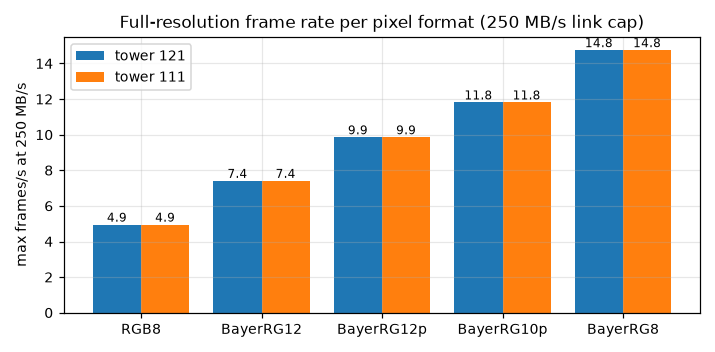
Same camera on both towers, so identical maximum rates. 60 s at the maximum:
| Format | Frame | Max fps | 121: complete / incomplete / lost | 111: complete / incomplete / lost |
|---|---|---|---|---|
| BayerRG12p | 24.3 MB | 9.86 | 593 / 0 / 0 | 592 / 0 / 0 |
| BayerRG12 (unpacked) | 32.4 MB | 7.41 | 445 / 0 / 0 | 445 / 0 / 0 |
| BayerRG10p | 20.2 MB | 11.81 | 711 / 0 / 0 | 709 / 0 / 0 |
| BayerRG8 | 16.2 MB | 14.75 | 887 / 0 / 0 | 887 / 0 / 0 |
| RGB8 (today) | 48.6 MB | 4.95 | 298 / 0 / 0 | 297 / 0 / 0 |
| BayerRG12p while saving 12-bit flat out | 24.3 MB | 9.86 | 591 / 0 / 0 | 592 / 0 / 0 |
On tower 111 the camera shares the USB 3 controller with the 5G modem, a USB network adapter and the tower's second camera (idle during the test).
Auto-exposure
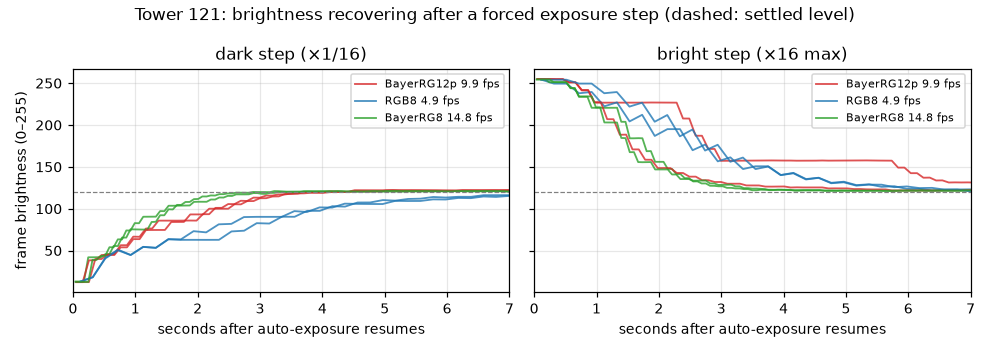
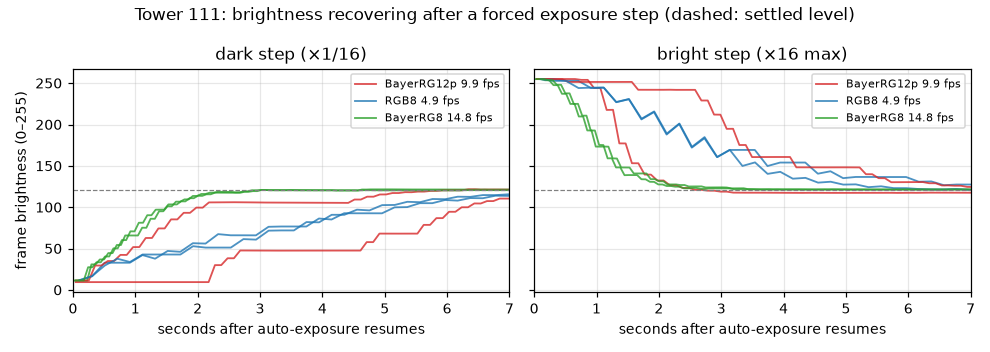
With exposure at its 20 ms cap, auto-exposure works through gain, 1–2 dB per frame, and sometimes pauses mid-way (the flat stretches, up to 2.8 s while still far too bright).
Time until brightness stays within ±10% of where it settles (two runs each):
| Format | fps | Step | Tower 121 | Tower 111 |
|---|---|---|---|---|
| BayerRG8 | 14.75 | dark ×1/16 | 1.94 s (28 frames), 2.21 s (32) | 1.79 s (26), 1.87 s (27) |
| BayerRG8 | 14.75 | bright ×16 | 2.69 s (39), 2.55 s (37) | 2.00 s (29), 1.86 s (27) |
| BayerRG12p | 9.86 | dark ×1/16 | 2.90 s (28), 3.00 s (29) | 6.64 s (65), 4.51 s (44) |
| BayerRG12p | 9.86 | bright ×16 | 6.45 s (63), 2.69 s (26) | 2.18 s (21), 5.73 s (56) |
| RGB8 (today) | 4.95 | dark ×1/16 | 4.56 s (22), 5.17 s (25) | 5.97 s (29), 5.77 s (28) |
| RGB8 (today) | 4.95 | bright ×16 | 5.17 s (25), 5.17 s (25) | 6.57 s (32), 4.96 s (24) |
Typically ~25–35 frames, so settling time scales with 1/fps. The longer 12-bit runs (44–65 frames) are the mid-way pauses; they happened at every rate but hit the 12-bit runs more often here.
Which frame to keep
Each rule applied to the per-frame log of all 24 steps. "Correct" means the frame it picks is within 10% of the brightness the camera finally settles at.
| Rule | 121 correct / early | 111 correct / early | Median time when correct (121 / 111) |
|---|---|---|---|
| Exposure and gain unchanged for 3 frames | 0 / 12 | 0 / 12 | – |
| Brightness in the camera's target band (target 50% ± 5%), 2 frames | 6 / 6 | 6 / 6 | 3.30 / 6.10 s |
| Target band 2 frames and exposure/gain unchanged 2 frames | 6 / 6 | 7 / 5 | 3.35 / 5.02 s |
| Target band 3 frames | 8 / 4 | 8 / 4 | 3.40 / 4.84 s |
| Target band and brightness steady (≤2% change) over 3 frames | 11 / 1 | 10 / 2 | 3.61 / 5.45 s |
Coming down from too bright, brightness enters the band about 15% above where it settles, so "in band" alone fires early; requiring it to have stopped changing fixes most of that.
Auto white balance
The profiles fix white balance today (red 2.87, blue 2.0). With BalanceWhiteAuto = Continuous, the
camera settled this scene at red ≈ 2.36–2.46, blue ≈ 1.87–1.97.
| Format | fps | Within ±5% and stays, 121 | Within ±5% and stays, 111 |
|---|---|---|---|
| BayerRG12p | 9.86 | 0.21–0.32 s (2–3 frames); once 1.33 s | 0.22–0.41 s (2–4) |
| RGB8 | 4.95 | 0.57–0.77 s (2–3) | 0.55–0.76 s (2–3) |
| BayerRG8 | 14.75 | 0.26–0.27 s (3) | 0.19–0.26 s (2–3) |
On a still scene the auto ratios held within ±0.8–3.1%.
Where the time goes
Same frame on both computers
The fairest comparison: the identical shared frame (checksums verified on both towers), every step timed on its own, 4 threads. Colour paths at distance 1.0 and effort 3; today's RGB8 path at its production settings (distance 0.8, effort 4).
| Step | IOTA (121) | 3 Delta (111) | Delta / IOTA |
|---|---|---|---|
| Unpack 12-bit packed → 16-bit | 10 ms | 17 ms | 1.7× |
| Colour conversion, 8-bit raw, bilinear / edge-aware | 8 / 9 ms | 11 / 12 ms | 1.3× |
| Colour conversion, 12-bit raw, bilinear / edge-aware | 17 / 28 ms | 22 / 33 ms | 1.2× |
| JPEG XL encode, 12-bit colour, d1.0 e3 | 480 ms | 765 ms | 1.6× |
| JPEG XL encode, today's RGB8, d0.8 e4 | 566 ms | 867 ms | 1.5× |
| File write, 2.7 MB colour file | 1 ms | 4 ms | |
| File write, 17–21 MB lossless raw file | 7–8 ms | 162–173 ms | (storage: 218 vs 76 MB/s) |
Per saved frame, all steps together, and the file each produces (sizes are identical on both computers, as they must be for the same input):
| Path | IOTA total | Delta total | File |
|---|---|---|---|
| Today: RGB8 → JPEG XL, d0.8 e4 | 567 ms | 872 ms | 3.27 MB |
| Raw 8 → colour → JPEG XL, d1.0 e3 | 468 ms | 741 ms | 2.66 MB |
| Raw 12 → colour (bilinear) → JPEG XL, d1.0 e3 | 476 ms | 778 ms | 2.53 MB |
| Raw 12 → colour (edge-aware) → JPEG XL, d1.0 e3 | 518 ms | 820 ms | 2.65 MB |
| Raw 12 planes, lossless (e1) | 91 ms | 297 ms | 17.65 MB |
| Raw 12 mosaic, lossless (e1) | 87 ms | 303 ms | 20.94 MB |
Unpacking and colour conversion together cost 38 ms on the IOTA and 50 ms on the Delta, 7% of the save. The JPEG XL encode is 90% of it.
The "RGB8" input here is the edge-aware colour conversion of the same frame (the camera's own RGB8 of that instant does not exist), so its file matches the raw 8-bit path's. The camera's real RGB8 files were a little larger in the per-tower runs below (3.7–4.0 MB).
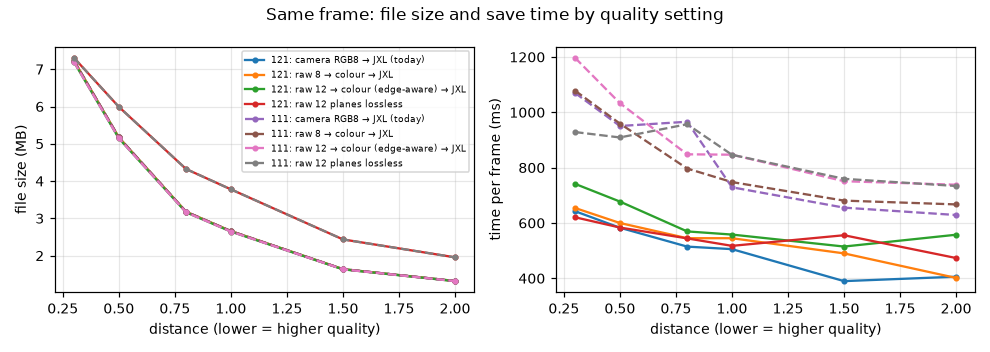
Size and time per quality setting, same frame
| Distance | File (12-bit colour) | IOTA | Delta | File (raw 12 planes) |
|---|---|---|---|---|
| lossless | 44.8 MB | 1,225 ms | 2,906 ms | 16.8 MB (455 / 860 ms) |
| 0.3 | 7.19 MB | 742 ms | 1,197 ms | 7.31 MB |
| 0.5 | 5.15 MB | 678 ms | 1,033 ms | 5.99 MB |
| 0.8 | 3.16 MB | 570 ms | 848 ms | 4.32 MB |
| 1.0 | 2.65 MB | 558 ms | 847 ms | 3.78 MB |
| 1.5 | 1.63 MB | 515 ms | 751 ms | 2.44 MB |
| 2.0 | 1.32 MB | 558 ms | 738 ms | 1.96 MB |
(Effort 3, 4 threads, file write included. A separate pass of 2 runs per point, so it differs from the stage table above by run-to-run variation, up to ~40 ms.)
Each tower's own capture
Same camera and scene, different day and light; consistent with the shared-frame result.

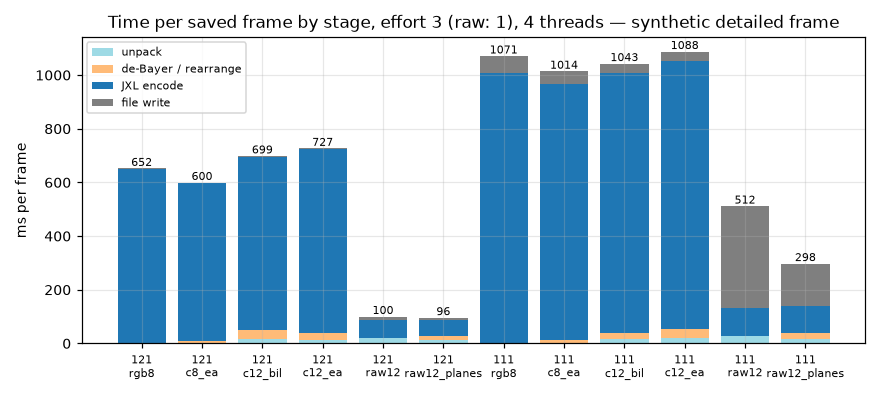
| Path (effort 3, 4 threads, d1.0) | IOTA, own frame / synthetic | Delta, own frame / synthetic |
|---|---|---|
| Today: camera RGB8 | 463 / 652 ms | 788 / 1,071 ms |
| Raw 12 → colour (edge-aware) | 569 / 727 ms | 849 / 1,088 ms |
| Raw 12 planes, lossless (e1) | 90 / 96 ms | 276 / 298 ms |
Effort and threads
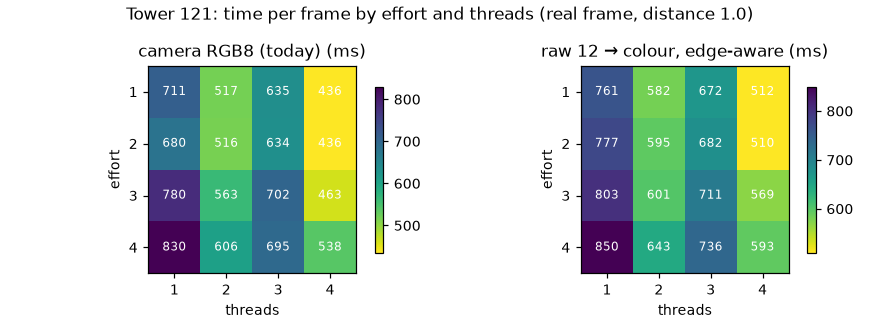
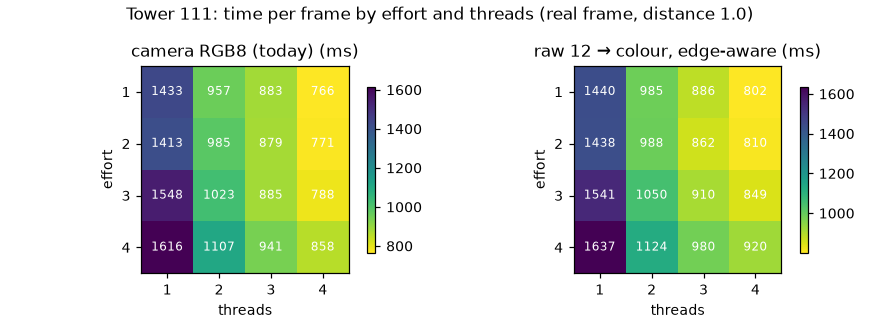
- Effort 1–4 are within ~15% of each other; effort 3 gives the smallest files.
- On the IOTA, 3 threads is slower than 2 at every effort (e.g. 761 / 582 / 672 / 512 ms for 1–4 threads at effort 1); the Delta scales normally (1,440 / 985 / 886 / 802 ms). 4 is fastest on both computers.
Quality setting: size and quality
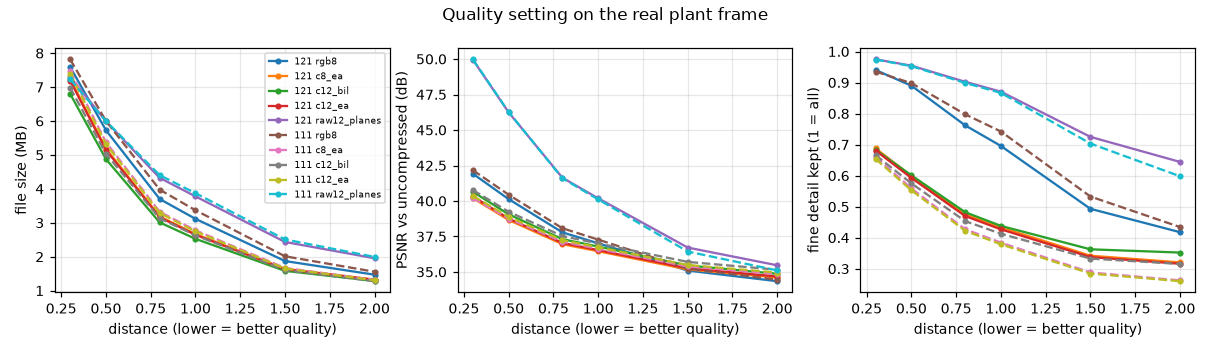
Against the exact lossless 12-bit colour image of the same frame (real plant frame, ~15 dB gain; the two towers agree within 0.3 dB):
| Saved as | File 121 / 111 | PSNR | SSIM |
|---|---|---|---|
| 12-bit colour, distance 0.3 | 7.2 / 7.4 MB | 40.3 dB | 0.994 |
| 12-bit colour, distance 0.5 | 5.1 / 5.3 MB | 38.8 dB | 0.989 |
| 12-bit colour, distance 0.8 | 3.2 / 3.3 MB | 37.1 dB | 0.978 |
| 12-bit colour, distance 1.0 | 2.6 / 2.7 MB | 36.6 dB | 0.973 |
| 12-bit colour, distance 1.5 | 1.6 / 1.7 MB | 35.4 dB | 0.960 |
| 12-bit colour, distance 2.0 | 1.3 / 1.3 MB | 34.8 dB | 0.953 |
| 12-bit colour, bilinear, distance 1.0 | 2.5 / 2.6 MB | 36.6 dB | 0.968 |
| 12-bit raw planes, lossy 0.5 | 6.0 / 6.0 MB | 47.2 dB | 0.990 |
| 12-bit raw planes, lossless | 17.6 / 17.7 MB | exact | 1 |
| 12-bit raw mosaic, lossless | 20.9 / 19.0 MB | exact | 1 |
| 12-bit colour, lossless | 47.4 / 46.3 MB | exact | 1 |
- Colour JPEG XL is tuned to the eye: it drops sensor noise and fine colour, so PSNR is moderate while SSIM (structure) stays high.
- Raw planes keep the sensor values much closer at the same size (47 vs 39 dB, equal SSIM). They suit a detector that wants raw values and can convert to colour itself. Lossless, they take a third of the space of lossless colour.
Example images
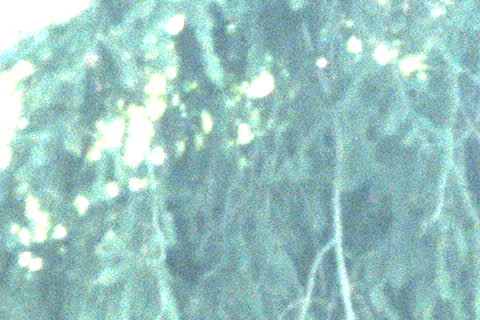
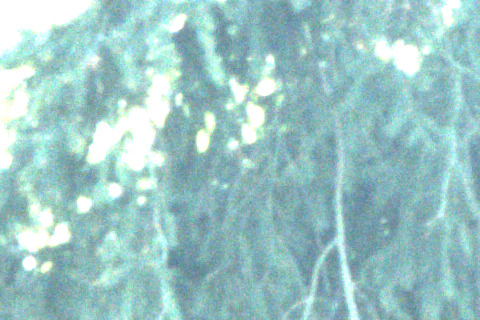
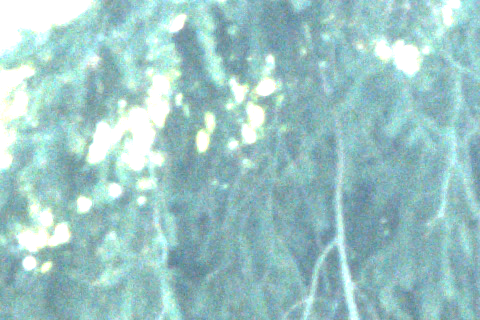
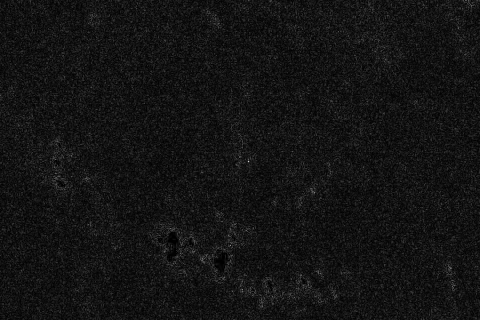
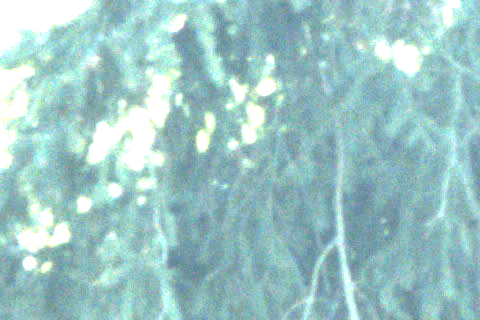
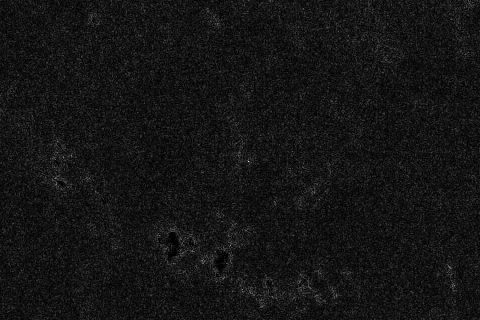
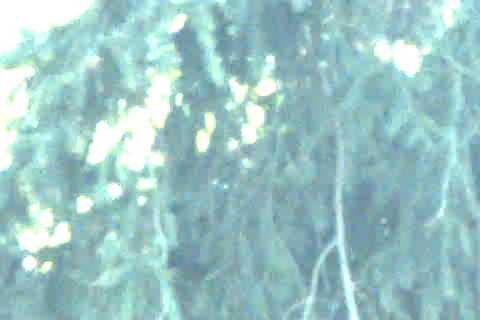
Every compression type, from tower 121's frame: a 100% crop of spruce needles over bright leaves;
its difference from lossless (×8, black = identical); and a darker crop brightened 2 stops.
Full-size .jxl files are kept outside git in tools/camera-bench/examples-2026-10-02-tower121/,
examples-2026-10-04-tower111/ and examples-2026-10-04-lowgain/ (~115 MB each).
Crop positions: 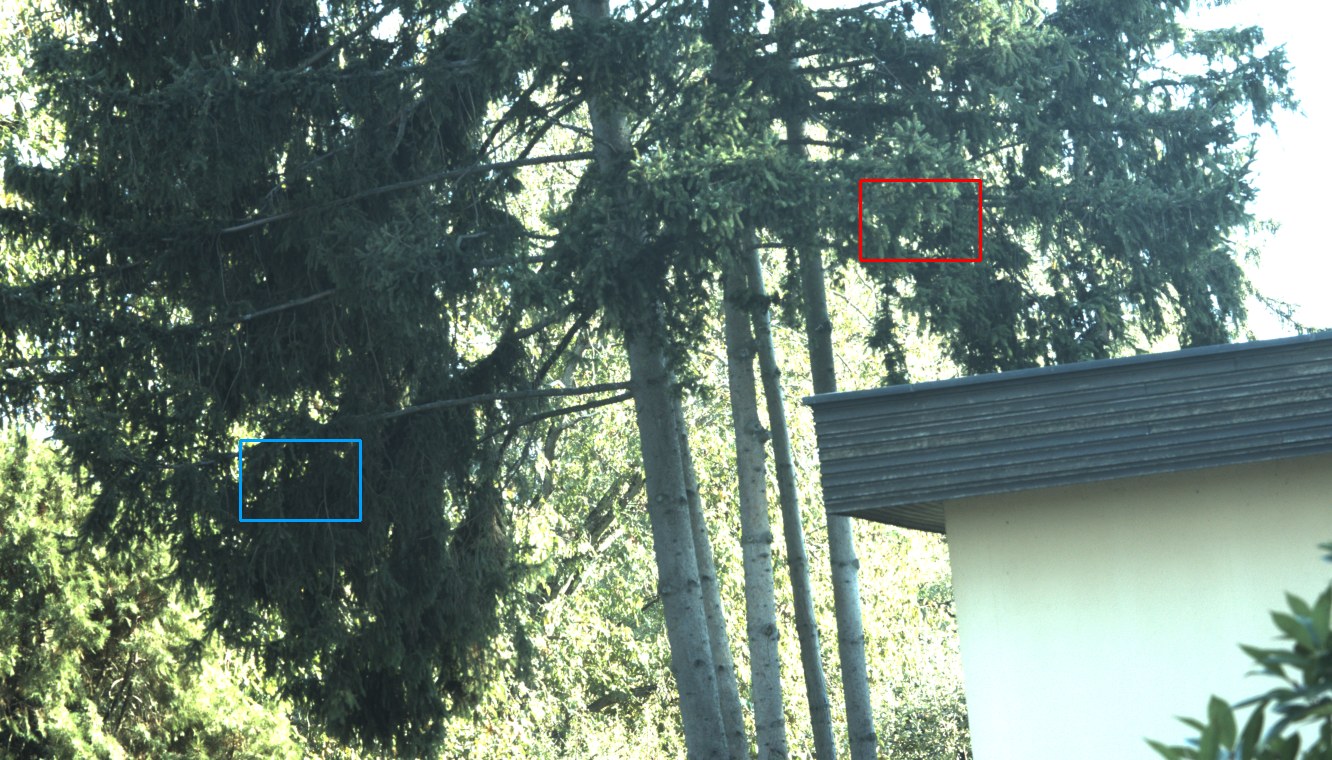
| Saved as | File, time (121) | Detail (100%) | Difference ×8 | Shadow, +2 stops |
|---|---|---|---|---|
| Camera RGB8, d0.8 e4 (today; another capture) | 3.8 MB, 0.62 s | 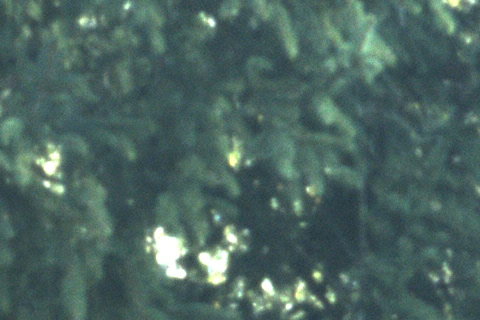 |
– |  |
| Raw 8 → colour, d1.0 (another capture) | 2.7 MB, 0.45 s | 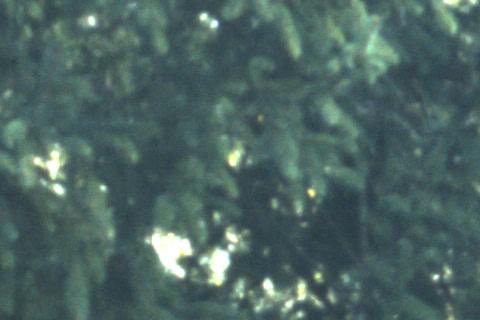 |
– |  |
| 12-bit colour, lossless (reference) | 47.4 MB, 0.23 s | 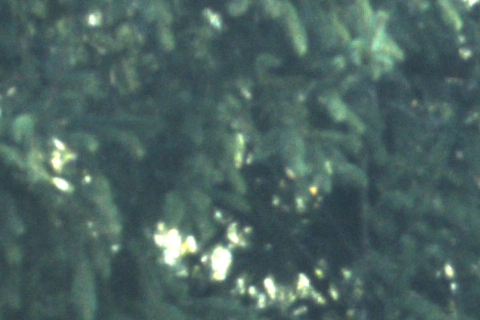 |
 |
 |
| 12-bit colour, d0.3 | 7.2 MB, 0.77 s | 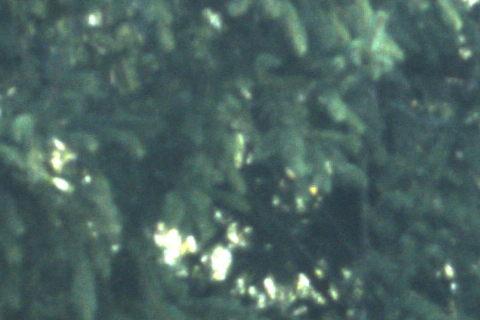 |
 |
 |
| 12-bit colour, d0.5 | 5.1 MB, 0.69 s | 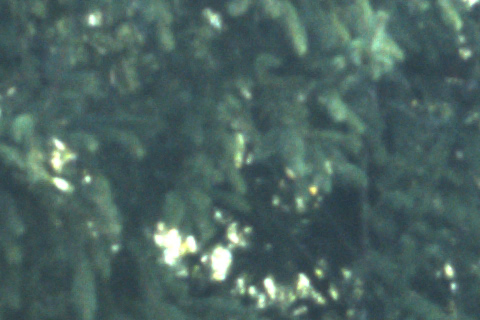 |
 |
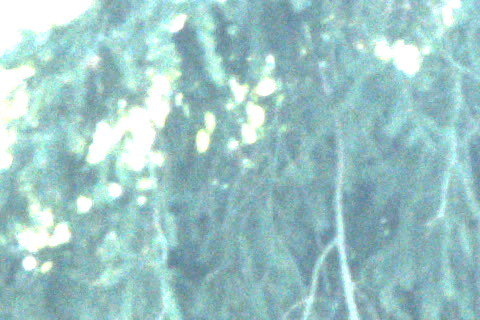 |
| 12-bit colour, d0.8 | 3.2 MB, 0.58 s | 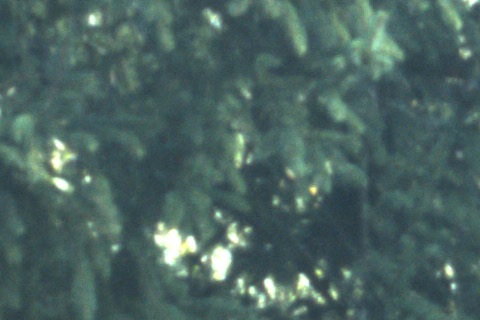 |
 |
 |
| 12-bit colour, d1.0 | 2.6 MB, 0.53 s | 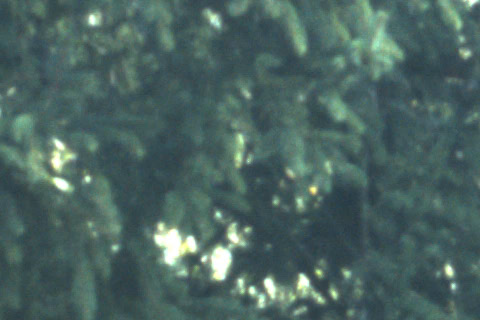 |
 |
 |
| 12-bit colour, d1.5 | 1.6 MB, 0.46 s |  |
 |
 |
| 12-bit colour, d2.0 | 1.3 MB, 0.42 s |  |
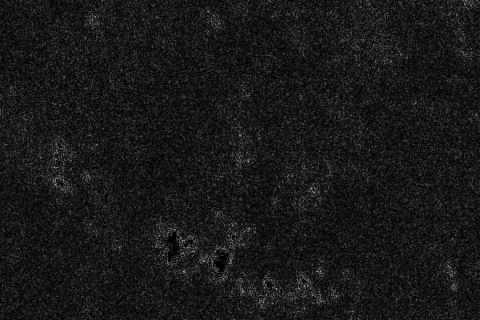 |
 |
| 12-bit colour, bilinear, d1.0 | 2.5 MB, 0.48 s | 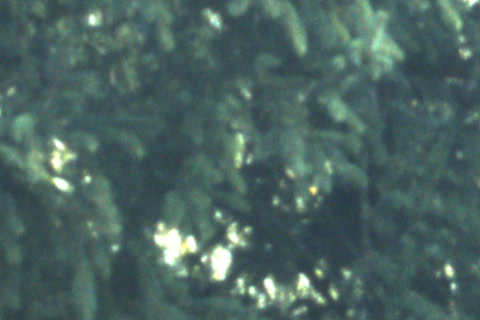 |
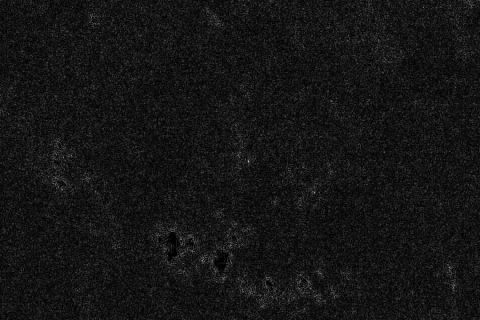 |
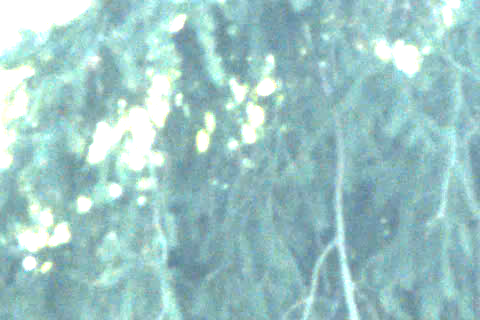 |
| 12-bit raw planes, d0.5 | 6.0 MB, 0.54 s | 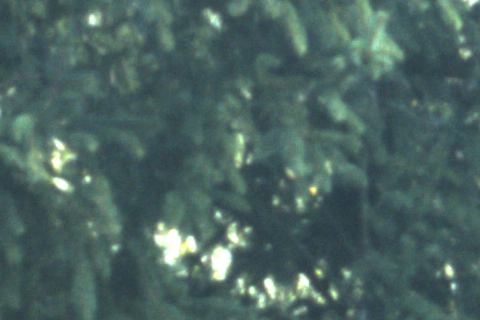 |
 |
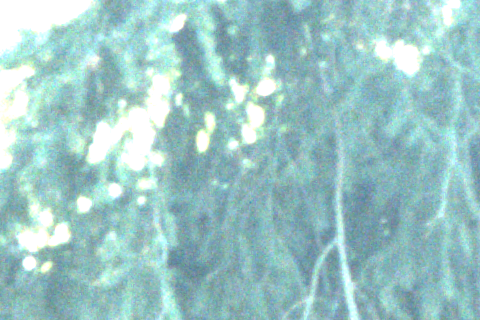 |
| 12-bit raw planes, lossless | 17.6 MB, 0.09 s | 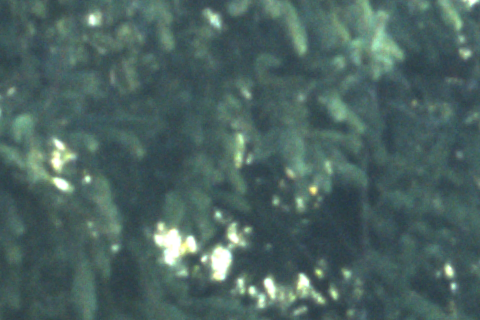 |
 |
 |
| 12-bit raw mosaic, lossless | 20.9 MB, 0.09 s |  |
 |
 |
The two 8-bit rows are separate captures seconds apart (branches move), so they have no difference
map. Times are single runs at 4 threads. Tower 111's examples (same camera and scene) and the
0 dB examples are kept as full-size .jxl only; tools/camera-bench/make_figures.py makes the same
crops from them.
What 12-bit adds
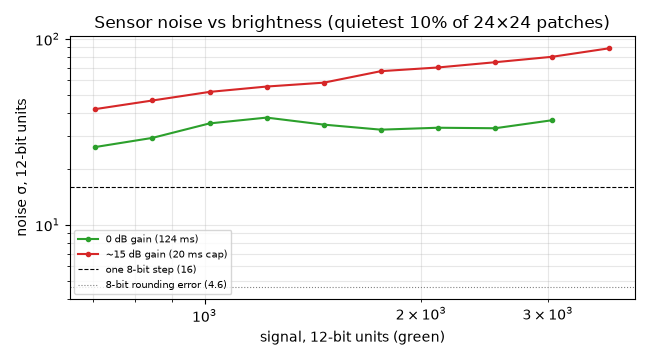
To see whether the extra 4 bits carry information or noise, a frame was also taken at 0 dB gain (124 ms exposure, 4 Oct). The noise floor, from the quietest patches at each brightness:
| Signal (12-bit, green) | Noise at 0 dB | Noise at ~15 dB | In 8-bit steps (0 dB / 15 dB) |
|---|---|---|---|
| ~700 (darkest in this scene) | 26 | 42 | 1.6 / 2.6 |
| ~1,500 | 35 | 58 | 2.2 / 3.6 |
| ~3,000 | 37 | 80 | 2.3 / 5.0 |
Rounding to 8 bits adds an error of about 4.6 (12-bit units): small next to this noise. In daylight, 8-bit already holds what the sensor delivers. By extrapolation, 12-bit starts to carry information below about 300 (0 dB) or 100 (15 dB) of 4095, i.e. in deep shadow: dusk, night, the dark side of a ridge. That is where a 12-bit night profile would pay off. Not measured at night.
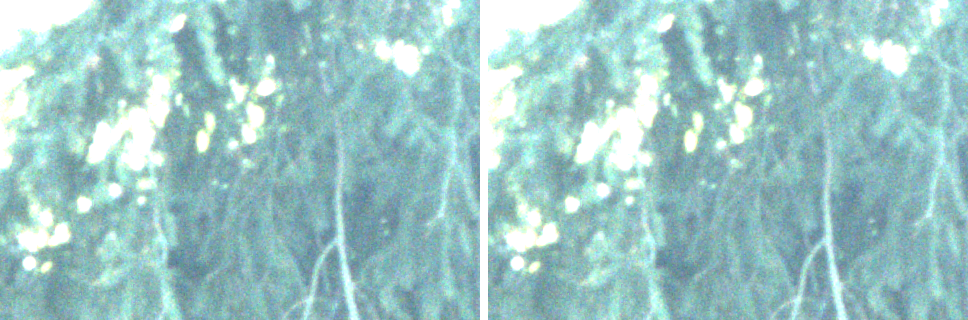
Same frame, a darker crop brightened 2 stops, 8-bit (left, the 12-bit value >> 4) vs 12-bit (right), at ~15 dB and at 0 dB. 3,138 vs 227 distinct levels at 15 dB, yet no visible difference:
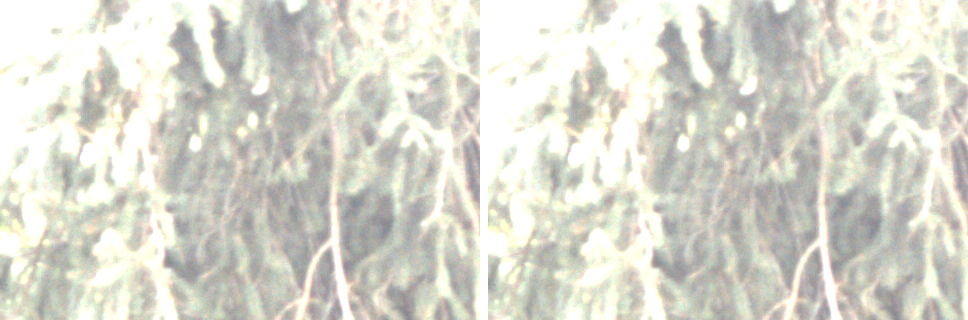
At 0 dB the same settings give 25–30% smaller files and ~3 dB higher PSNR (less noise to encode): 12-bit colour at distance 1.0 is 1.9 MB, PSNR 40.0 dB, SSIM 0.987.
Overall pace: how fast can a tower capture?
A waypoint goes through these steps; saving runs in the background, overlapping the next move:
| Step | 12-bit raw (proposed) | Raw 8-bit | RGB8 (today) | Source |
|---|---|---|---|---|
| Camera delivers a frame every | 0.10 s (9.86 fps) | 0.07 s (14.75 fps) | 0.20 s (4.95 fps) | measured |
| Slew to the next waypoint | ~1–1.5 s (6° step at 5–8°/s) | same | same | estimate from the scan speed; not measured here |
| Mechanical settle after standstill | ~0.2 s | same | same | to be measured in the field |
| Exposure settle after a large change (×16) | ~3 s (2.2–6.6) | ~2 s (1.8–2.7) | ~5 s (4.6–6.6) | measured, 24 steps per tower |
| Exposure settle after a small change (neighbouring waypoints) | well under the above | not measured | ||
| Save, one worker × 4 threads (IOTA / Delta) | 0.56 / 0.84 s | 0.52 / 0.85 s | 0.59 / 0.88 s | measured, shared frame, back to back |
| Save, two workers × 2 threads (IOTA / Delta) | 0.47 / 0.65 s | 0.42 / 0.60 s | 0.43 / 0.64 s | measured, shared frame, back to back |
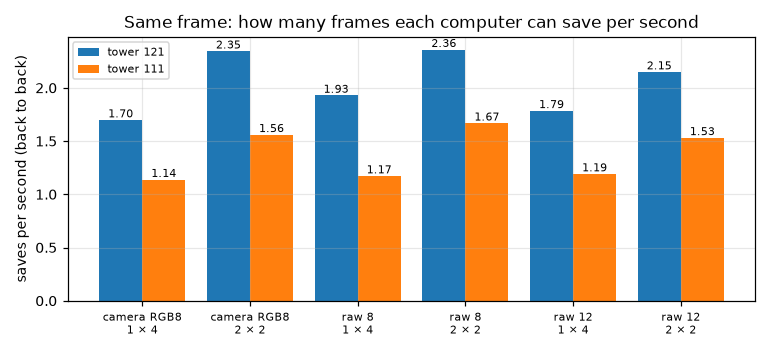
- The camera side sets the pace. A waypoint needs roughly 1.5–5 s (move, then exposure), while a 12-bit save takes 0.56 s on the IOTA and 0.65 s on the Delta with two workers. Saving uses a fraction of the time between waypoints on either computer.
- Saving becomes the limit only below about one waypoint per 0.6–0.85 s, which a real scan does not reach. On the shared frame, the IOTA kept up with a frame every 0.7 s with one worker; the Delta needed two workers for 0.7 s (with one it fell 27 frames behind in 2 minutes).
- Settling after small changes, the common case between neighbouring waypoints, still needs a field measurement; it is what decides the real scan pace.
Keeping up with the scan
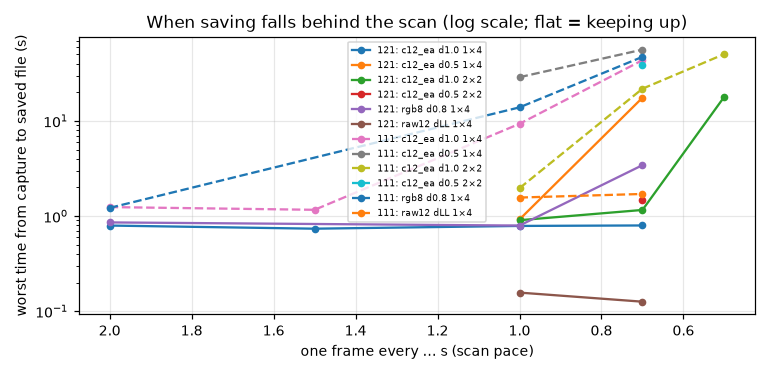
Synthetic detailed frame (worst case). ok = no backlog after 2 minutes; otherwise frames behind and the worst capture-to-file time:
| Path | Workers × threads | Tower | Saves/s back to back | One frame every 2.0 / 1.5 / 1.0 / 0.7 / 0.5 s | Peak memory |
|---|---|---|---|---|---|
| Today: camera RGB8, d0.8 e4 | 1 × 4 | 121 | 1.33 | ok / – / ok / 3 behind / – | 0.5 GB |
| Today: camera RGB8, d0.8 e4 | 1 × 4 | 111 | 0.88 | ok / – / 12 behind / 65 behind / – | 0.5 GB |
| 12-bit colour, d1.0 e3 | 1 × 4 | 121 | 1.44 | ok / ok / ok / ok / – | 0.7 GB |
| 12-bit colour, d1.0 e3 | 1 × 4 | 111 | 0.93 | ok / ok / 8 behind / 60 behind / – | 0.7 GB |
| 12-bit colour, d1.0 e3 | 2 × 2 | 121 | 1.74 | – / – / ok / ok / 34 behind | 1.1 GB |
| 12-bit colour, d1.0 e3 | 2 × 2 | 111 | 1.18 | – / – / ok / 28 behind / 97 behind | 1.1 GB |
| 12-bit colour, d1.0 e3 | 4 × 1 | 121 / 111 | 1.99 / 1.37 | (back to back only; each save waits 2–3 s) | 2.0 GB |
| 12-bit colour, d0.5 e3 | 1 × 4 | 121 | 1.19 | – / – / ok / 24 behind / – | 0.8 GB |
| 12-bit colour, d0.5 e3 | 1 × 4 | 111 | 0.77 | – / – / 27 behind / 79 behind / – | 0.7 GB |
| 12-bit raw mosaic, lossless | 1 × 4 | 121 / 111 | 10.2 / 1.8 | ok at 1.0 and 0.7 on both | 0.3 GB |
On the real plant frame (lighter), one worker kept up with a frame every 1.0 s on both towers (saved within 0.63 s on 121, 0.96 s on 111).
Heat and power
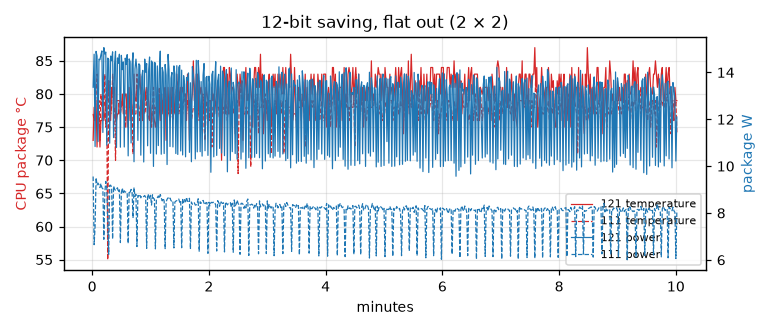
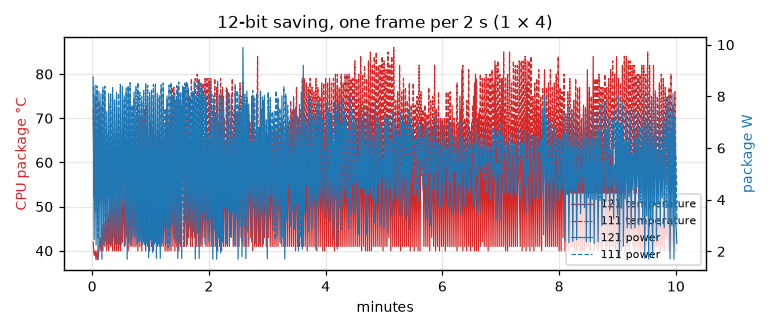
10 minutes each:
| Load | Tower | Temp mean / max | Clock | CPU busy | Power | Saves per minute, first → last |
|---|---|---|---|---|---|---|
| Idle | 121 | 38 / 40 °C | 0.79 GHz | 2% | 2.2 W | – |
| Idle | 111 | 52 / 54 °C | 0.96 GHz | 4% | 2.9 W | – |
| 12-bit, one frame every 2 s (1 × 4) | 121 | 53 / 84 °C | 1.71 GHz | 21% | 5.1 W | 30 → 29 |
| 12-bit, one frame every 2 s (1 × 4) | 111 | 66 / 86 °C | 1.84 GHz | 33% | 5.7 W | 30 → 30 |
| 12-bit, flat out (2 × 2) | 121 | 80 / 87 °C | 2.88 GHz | 81% | 12.5 W | 122 → 103 (−16%) |
| 12-bit, flat out (2 × 2) | 111 | 78 / 83 °C | 2.44 GHz | 81% | 8.1 W | 74 → 73 |
At scan pace both computers stay far from their limits. The Delta runs ~13 °C warmer; flat out it sits at an 8 W power limit, so it does not slow further, while the IOTA starts fast (12.5 W) and settles 16% lower as it heats.
Storage
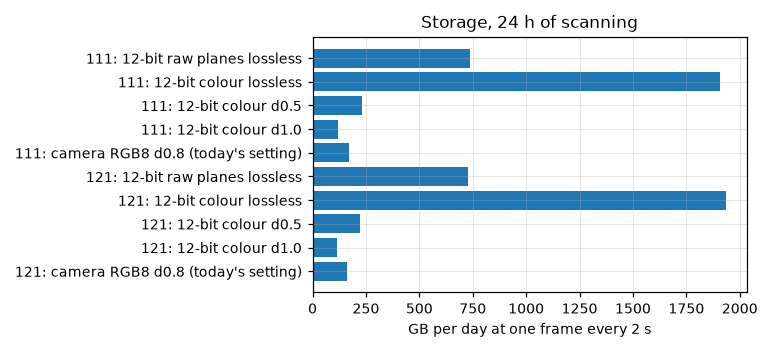
Real plant frame sizes, 24 hours of scanning:
| Saved as | Per frame (121 / 111) | One frame / 2 s | / 5 s | / 10 s |
|---|---|---|---|---|
| Camera RGB8, d0.8 (today's quality) | 3.7 / 4.0 MB | 160–172 GB | 64–69 GB | 32–34 GB |
| 12-bit colour, d1.0 | 2.65 / 2.75 MB | 114–119 GB | 46–48 GB | 23–24 GB |
| 12-bit colour, d0.5 | 5.2 / 5.3 MB | 222–230 GB | 89–92 GB | 44–46 GB |
| 12-bit raw planes, lossless | 16.8 / 17.0 MB | 727–736 GB | 291–294 GB | 145–147 GB |
| 12-bit colour, lossless | 44.8 / 44.1 MB | ~1.9 TB | ~770 GB | ~385 GB |
The towers have 11–22 GB free, so only a short buffer can stay on the tower.
Scope and caveats
- One scene, two afternoons, ~15 dB gain in the main runs; one 0 dB frame. Night is not measured.
- Auto-exposure steps on a still camera, not after real slews. Real waypoint-to-waypoint changes are usually much smaller than ×16, so real settling should be shorter.
- The tower program was stopped, so its own load (camera stream, control loop) is not included. The stream-while-saving test shows the camera link is unaffected by saving.
- Detection quality is not measured. PSNR and SSIM stand in for "what the algorithms receive".
- Tower 111's own camera (1240c, 12 MP) was not tested here. Its frames are 25% smaller, so the Delta's limits above are conservative for it.
- Slew time and mechanical settle in the pace table are estimates, not measurements.
Raw data and tools
- Programs and how to rerun every test: tools/camera-bench.
- Camera tests, processing on own frames, heat: tower 121, tower 111.
- Shared-frame processing: tower 121,
tower 111 (each with
frame_md5.txt). - Full-size example
.jxlfiles (git-ignored, ~115 MB per set):tools/camera-bench/examples-*. - Charts:
plot_results.pyandplot_common.py; example figures:make_figures.py; quality scores:compare_examples.py.